Why Customer Journey Measurability often fails in practice
In many companies, touchpoints exist – but they are scattered: website tracking here, email marketing there, meetings in the calendar, support tickets in the service tool. This creates gaps in the journey, and decisions become subjective again. Additionally, terms are not properly defined: what counts as a “contact,” what as “engagement,” what as “qualified”? Without shared definitions, reports may look pretty, but they are not reliable. And if data is not consistently maintained, the team loses trust in the system – then nobody uses the KPIs for decisions.
Typical causes we regularly see in projects:
- Inconsistent touchpoint recording (everyone maintains differently)
- No clear KPI definitions per journey phase
- Media breaks between CRM, marketing tools, and service system
- "Activity" is recorded but not evaluated (signal vs. noise)
- No translation of data into concrete next steps (Next Best Action)
Step 1: Define Touchpoints – in a way that teams can actually work with them
Before you measure, you must agree on a journey map. It sounds trivial, but it’s the decisive lever: better to measure 12 touchpoints cleanly than 40 halfway. It is important that Sales, Marketing, and Service speak the same language and evaluate the same events equally. Furthermore, touchpoints should be defined so that they are reusable in processes – e.g., as triggers for tasks or workflows. And finally: every touchpoint needs a source (where it comes from) and a responsibility (who ensures it ends up in the CRM).
Proven touchpoint categories that work well in B2B projects:
- Inbound: Website form, demo request, content download
- Outbound: Initial contact, follow-up, sequence/email series
- Sales: Meeting, offer sent, offer negotiated
- Service/CS: Ticket, SLA violation, NPS/feedback, renewal event
- Product/Usage (if available): Usage signal, feature adoption, inactivity
Step 2: Define KPIs per Journey Phase – fewer, but sharper
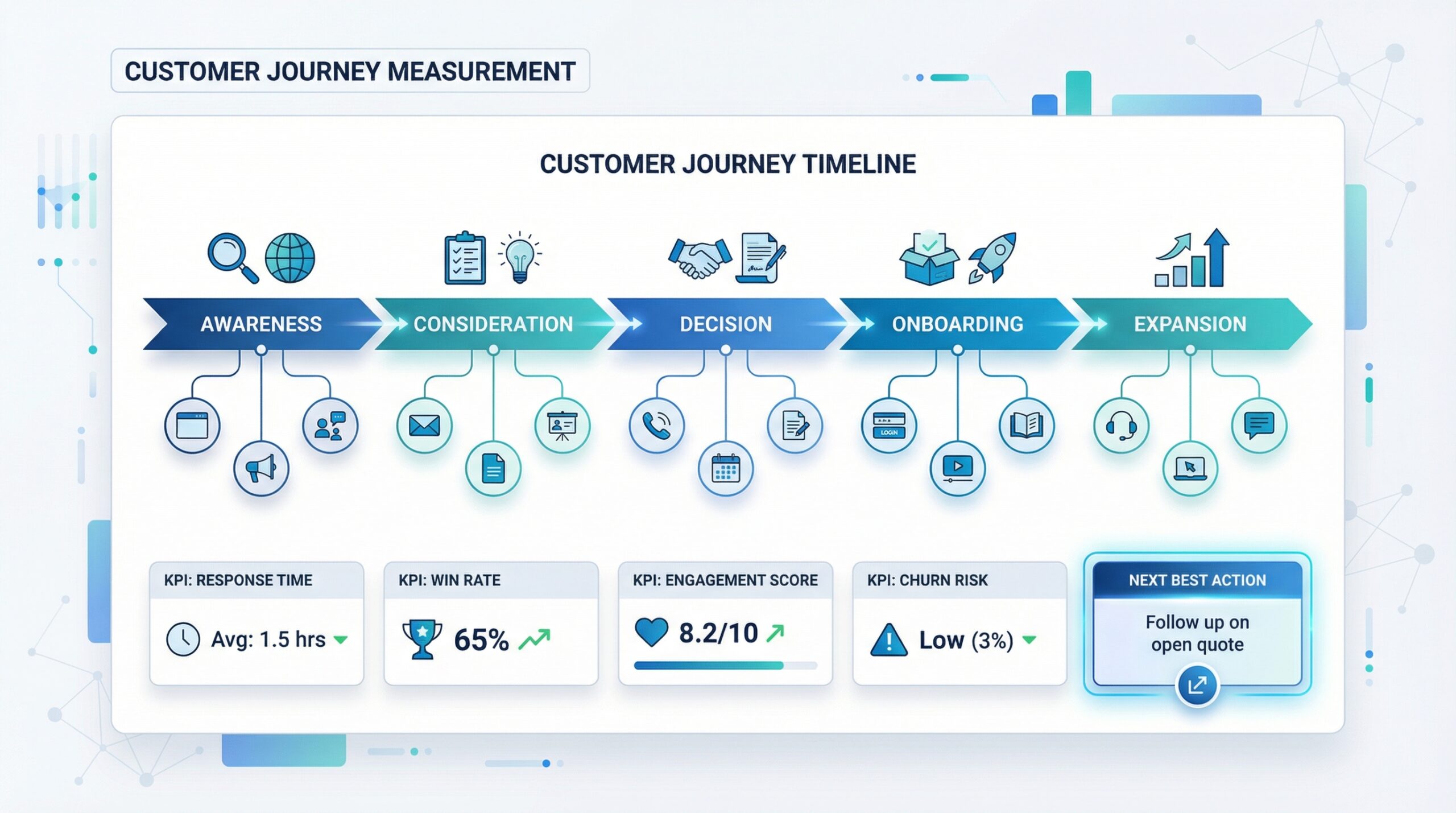
Many KPI sets fail because they are too large. Teams then track “everything” and end up using “nothing.” The better way is a KPI set per phase: Awareness → Consideration → Decision → Onboarding → Expansion/Retention. For each phase, you need 2–4 metrics that are truly steerable – meaning metrics you can actively influence. Additionally, you should separate “leading KPIs” (early signals) from “lagging KPIs” (outcome metrics) so that you don’t react only when it’s too late. And: every KPI needs a clear definition so that reporting doesn’t become a discussion.
Typical KPI examples by phase (excerpt):
- Awareness/Inbound: Conversion Rate landing page, Cost per Lead (if available)
- Consideration: Meeting rate, Response Time, Engagement Score
- Decision: Quote lead time, Win rate, discount rate
- Onboarding: Time-to-Value, open onboarding tasks, ticket density
- Retention/Expansion: Renewal rate, upsell pipeline, health score / traffic light risk
Step 3: Next Best Action – turning data into concrete sales impulses
“Next Best Action” means: the CRM doesn’t just show the status, but suggests the next sensible action – based on signals. This isn’t a buzzword, but pragmatic process logic: if X happens, then Y is the next step. For this to work, signals must be prioritized (not every click is relevant to a purchase). You also need rules that fit the reality of your business: industry, deal size, product line, roles in the buying center. And very importantly: Next Best Action must be easy to implement in daily life – as a task, reminder, or playbook step, not as a “dashboard hint” that nobody sees.
Examples of robust Next-Best-Action rules:
- If offer > 7 days open and no reaction → follow-up task + escalation to Sales Lead
- If key stakeholder changes → risk check + create new stakeholder mapping
- If inactivity > 30 days in Consideration → start re-engagement sequence
- If support tickets increase for existing customer → move up QBR + lower health score
- If upsell signal (e.g. usage/interest) → opportunity suggestion + concrete pitch task
Implementation: How to technically represent measurability properly in the CRM
For touchpoints, KPIs, and Next Best Action to really work in the CRM, you need a simple, stable structure. Many teams start off too complex and lose acceptance – that’s why a minimum setup that is iteratively expanded is worth it. Central is a clean data model: which objects represent journey data (leads, contacts, accounts, opportunities, activities)? Then come rules and automations that don’t just collect data but make it usable (workflows, mandatory fields, status logic). And finally, you build dashboards that support decisions – not dashboards that “show everything.”
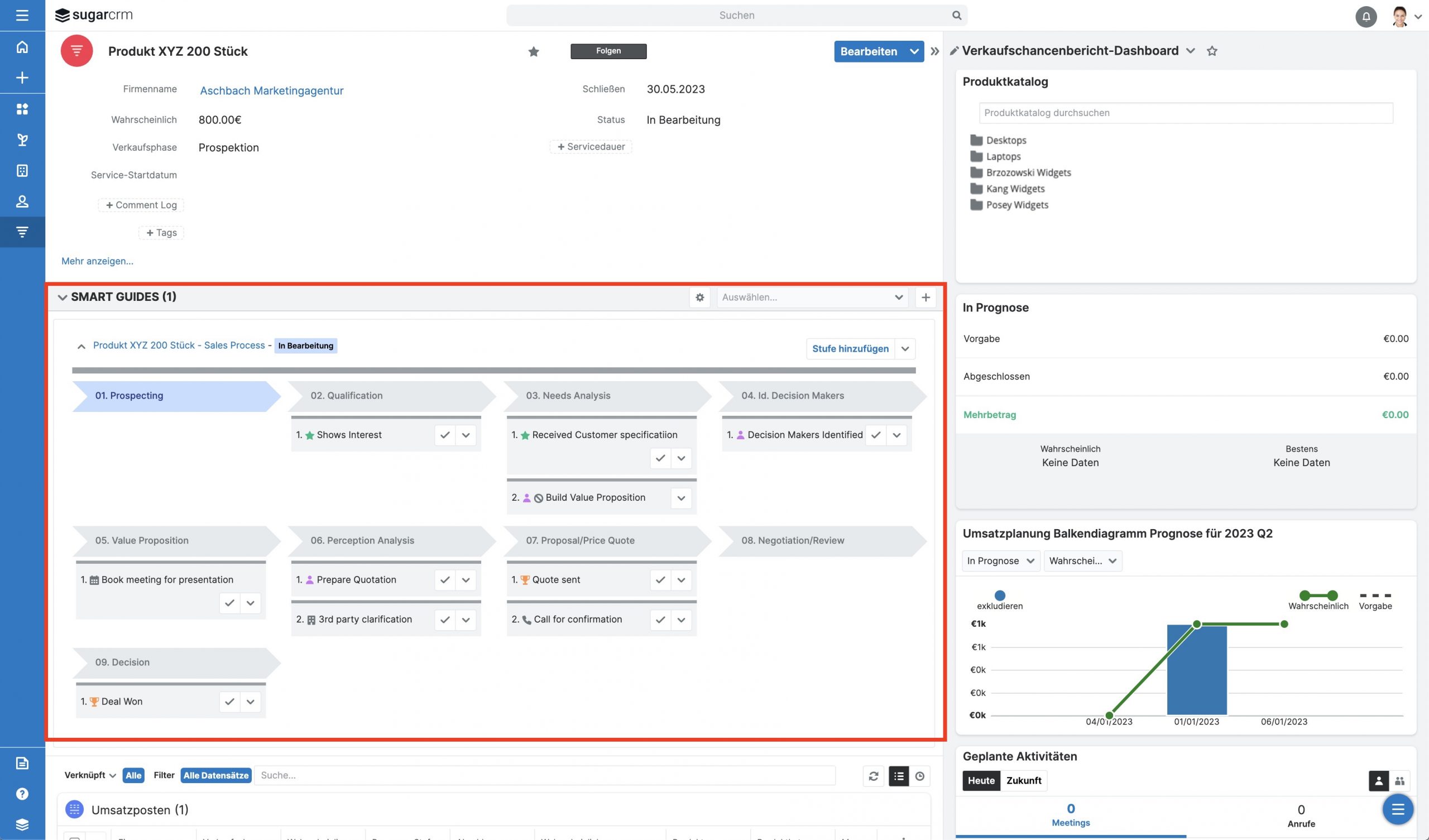
Proven technical components in CRM (e.g., Sugar Sell):
- Standard objects + relationships (Account, Contact, Opportunity, Activities)
- Custom fields (Journey phase, segment, engagement level, health/traffic light risk)
- Reports & Dashboards for phase KPIs and bottleneck analysis
- Workflows/process automation (e.g. tasks, reminders, escalation)
- Integration (email/calendar, web forms, potentially marketing/service tools)
Statistics Block: Where journey projects show the most impact in practice (example values)
| Lever in the Customer Journey | Typical effect after 8–12 weeks |
|---|---|
| Faster reaction time (Inbound → first contact) | -20 to -40 % |
| Clearer prioritization (signals instead of gut feeling) | +10 to +25 % Meeting rate |
| Standardized follow-ups (Next Best Action) | +5 to +15 % Win rate |
| Transparency in existing customers (health/traffic light risk) | Earlier risk detection, fewer surprises |
Practical example: Agile introduction in phases – from "collecting data" to "steering data"
10 KPI/Signal ideas for a Next-Best-Action logic
| No. | KPI/Signal | Description |
|---|---|---|
| 1 | Response Time | Time from inbound/request to the first qualified contact. |
| 2 | Engagement Score | Weighted signals (meeting, replies, downloads) instead of raw activity. |
| 3 | Stage Stagnation | Opportunity does not move for X days → trigger automatic action. |
| 4 | Offer open without reaction | Reminder + escalation after defined SLA. |
| 5 | Stakeholder change | Re-evaluate buying center, trigger risk/opportunity update. |
| 6 | Ticket density in customer base | Many tickets in a short time → lower health score, involve CS. |
| 7 | Renewal Countdown | Automatic renewal tasks/plays before notice periods apply. |
| 8 | Product/Service usage signal | Usage rises/falls → trigger upsell or rescue play. |
| 9 | Discount rate | High discounts per segment → trigger pricing review or approval workflow. |
| 10 | QBR Due Date | Automate planning for QBR dates per tier, provide data package. |
Checklist: Is your offer process CRM-ready?
- Are journey phases clearly defined and mappable in the CRM?
- Do we have a touchpoint map with responsibilities per source?
- Are there 2–4 KPIs per phase with unique definitions?
- Are activities not just recorded, but evaluated (signal vs. noise)?
- Are integrations/sources connected so that data ends up reliably in the CRM?
- Is there a Next Best Action logic (rules, workflows, plays)?
- Are dashboards decision-oriented (bottlenecks, priorities, risks)?
- Are results reviewed regularly and rules adjusted (monthly/quarterly)?
- Is data quality measurable (mandatory fields, duplicates, timeliness)?
- Do Sales/Marketing/Service use the same definitions and KPIs?
Conclusion
If you make the customer journey measurable in the CRM, the CRM transforms from a storage space into a steering instrument. Touchpoints provide context, KPIs provide orientation – and Next Best Action turns them into concrete steps. A pragmatic setup is crucial: a few, clear metrics per phase, clean data sources, and automations that simplify daily life. This is precisely how impact is created: faster reaction times, better prioritization, and more stable forecasts.
Your next step: start with a touchpoint map and 8–12 core KPIs – and build the first Next Best Action rules from them that immediately relieve your team.