
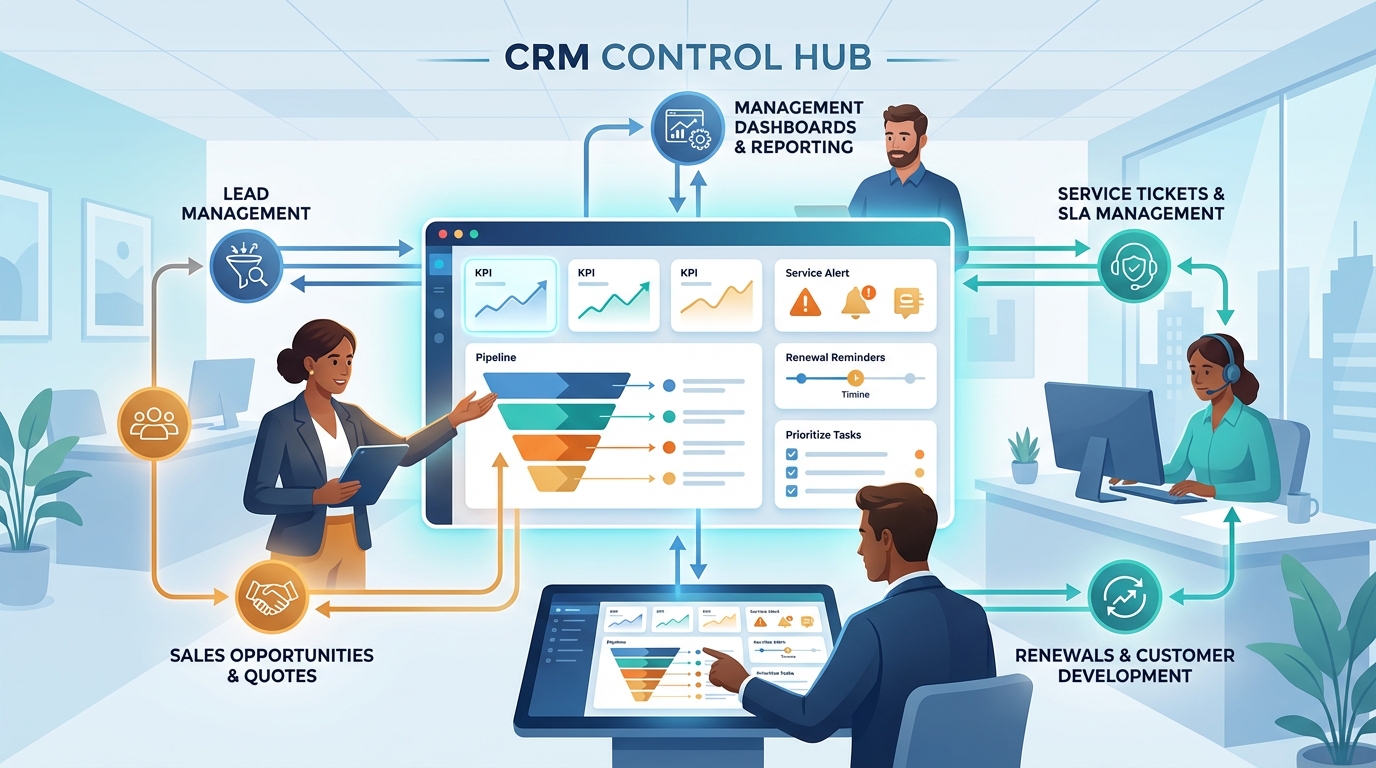
Many SMBs already use a CRM system, yet it often fails to serve as a true command center. Customer data is recorded, activities are logged, and individual reports exist. However, key processes continue to be handled via Excel, email, verbal requests, or the knowledge of individual employees. This creates friction losses: leads stagnate, proposals take too long, service cases escalate too late, and existing customers are not systematically developed. The crucial question is therefore not whether to pursue digitalization, but which processes deliver the greatest benefit first.
We demonstrate how mid-sized companies can meaningfully prioritize their CRM processes, which sequence has proven effective in practice, and why a step-by-step approach is often more successful than a comprehensive overhaul.
Why many mid-sized companies risk digitalizing too much at once
In mid-sized businesses, the urge for rapid improvement is understandable. When sales, service, and management all strive for more transparency at the same time, the impulse often arises to tackle all processes simultaneously. But this is frequently the very reason for overload, adoption difficulties, and half-finished solutions. Before the foundations are properly established, a CRM is often overloaded with requirements. The consequence: there are numerous new fields, but hardly any better decisions. That is why successful projects do not aim for maximum breadth, but for a clear sequence.
To establish CRM as a command center, you should first consider the processes that:
- occur regularly
- involve many stakeholders
- are particularly error-prone today
- have a direct impact on revenue, service quality, or efficiency
- can be standardized with clear rules
Prioritization over perfection: A guide to selecting processes using a framework
Not every process has the same significance or importance. Some workflows may sound strategic but have little short-term impact. Others may initially appear operational, yet they immediately increase transparency, response speed, and the quality of outcomes. A simple prioritization logic is therefore useful: Where does the most friction occur today? Where is measurable time being lost? And where could a clean CRM mapping immediately ease daily operations? Especially in mid-sized businesses, this logic is particularly helpful since resources are limited and teams need to see tangible benefits quickly.
Three criteria have proven helpful in practice for prioritizing processes:
- Impact on daily operations: Does the process immediately save time or reduce errors?
- Dependency on data quality: Does the process require perfect data first, or does it even improve data quality?
- Implementation effort: Is a quick start possible, or are extensive preparations required?
Process step one: Lead and inquiry processing
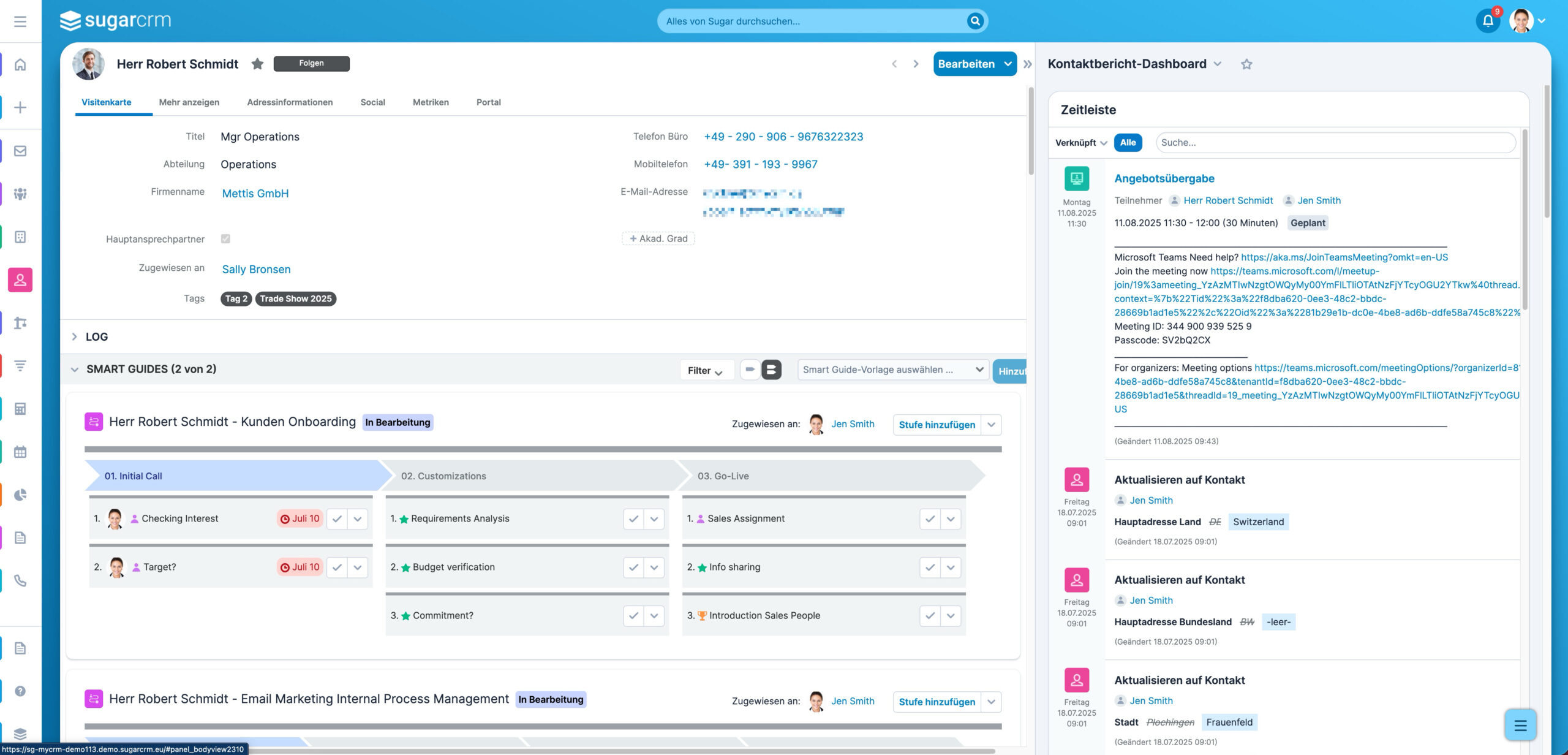
Unprocessed inquiries that are not handled quickly and cleanly cost the company direct revenue potential. In mid-sized businesses, response speed is often a decisive competitive factor; customers expect personal attention and reliable answers. Newly acquired leads are often the area where processes have grown organically and are barely standardized. An inquiry may land in a central mailbox, directly with an employee, or in the CRM – and there is often no clarity about who responds when. That is why it makes great sense to use the digitalization of lead and inquiry processing as the first step.
It goes beyond lead capture; a defined process from intake to qualified handover is needed. The CRM must show where the inquiry originated, who is responsible, how quickly the response occurred, and what the next step is. Even simple rules can make a big difference here. Teams gain oversight, and managers can for the first time reliably identify where leads are being lost. Initial automations can also be implemented very quickly.
The following elements are important in this first expansion stage:
- centralized capture of all inquiries in the CRM
- clear lead routing by region, product, or team
- response time as a KPI
- defined status logic from intake to qualification
- automatic follow-up tasks for open inquiries
Process step two: Proposal and approval process
Once an inquiry becomes a sales opportunity, much depends on speed and reliability. In mid-sized businesses, proposal processes are often heavily dependent on individuals. Prices are stored in Excel, templates are found in old Word files, and approvals are handled via email or verbal requests. This wastes time and increases the risk of errors, unclear discounts, or unnecessary loops. A digitalized proposal process is therefore often one of the fastest ways to achieve more efficiency and improve close rates.
A CRM can significantly organize this area without slowing down sales. The most important thing is that templates, approval rules, and status transitions are not perceived as bureaucracy, but as relief. Transparency improves when proposals are created faster, cleanly documented, and systematically followed up. Forecasts become more reliable because you can see which proposals are active and which have been stalled for days. For growing mid-sized companies, this is an important step toward professional management.
Typical building blocks in this phase include:
- proposal templates and text modules
- status model from draft to dispatch
- approval rules based on discount, margin, or deal size
- automatic follow-up tasks
- proposal age and turnaround time as KPIs
Step number three: Service, tickets, and escalations
Many companies often approach CRM projects with a strong focus on sales. This is understandable, but it does not go far enough. In mid-sized businesses, service is crucial for how customers perceive the company and whether an order turns into a long-term relationship. Service requests that come in unstructured, have unclear priorities, or where escalations are recognized too late not only affect customer satisfaction. Sales also feels the impact, whether through delays, complaints, or uncertain renewals. For this reason, it is important to include the service process early in the CRM roadmap.
A cleanly digitalized service process often brings surprisingly quick calm to daily operations. Tickets receive categorization, prioritization, and are assigned to responsible parties. SLA times reveal where cases become critical. Sales simultaneously gains valuable context because service issues no longer disappear “invisibly” in inboxes or ticket systems. This is precisely why the CRM evolves from a sales tool into a true command center.
The following points are particularly important in this expansion stage:
- structured ticket capture
- categories, priorities, and responsibilities
- SLA logic with escalation levels
- dashboards for open cases and backlog
- linking service cases with accounts and opportunities
Process number four: Existing customers, renewals, and development
Many mid-sized companies focus on new customers first in their CRM – and thereby miss out on potential. Yet the existing customer business is often more profitable, more predictable, and involves less acquisition effort. However, if contract renewals, upsell opportunities, or risks are not systematically visible, this potential is only utilized by chance. A CRM can create structure precisely here: Who is due for renewal, where is there growth potential, which customers show increasing risk? This perspective is especially valuable in mid-sized businesses because customer relationships have often grown over the long term and on a personal basis.
Existing customer processes should not be digitalized too early, however, as long as lead, proposal, and service foundations are still unclean. Once this basis is in place, the next step is logical. Renewals, customer development, and health signals build directly on existing data. At the same time, very concrete actions emerge for sales, service, and management. This makes the CRM a true action instrument for the existing customer base as well.
Important building blocks in this area include:
- renewal due dates and reminders
- customer status and risk indicators
- tasks for QBRs or development meetings
- cross-sell and upsell signals
- dashboards for existing customer potential
Process step five: Dashboards and management transparency
Only when the most important operational processes are running cleanly in the CRM do dashboards unfold their full value. Many companies reverse this sequence and build management reports first, before the data foundation is reliable. This leads to attractive dashboards with low credibility. It is better to build dashboards based on functioning processes. Then they show not just numbers, but actual bottlenecks, risks, and opportunities. This is exactly what makes the CRM a command center.
In mid-sized businesses, transparency is particularly important because decisions often need to be made quickly. Executive management, sales leadership, and service managers do not need 50 KPIs. They need a few reliable metrics that provide orientation and can be immediately translated into actions. When dashboards deliver exactly that, coordination effort decreases significantly. Meetings become more focused and operational problems become visible earlier.
Dashboards with real added value show, for example:
- response time for inquiries
- open proposals without a next activity
- stagnation in the pipeline
- SLA violations and service backlog
- renewal due dates and customer risks
Where mid-sized companies see positive effects from CRM digitalization first (example values)
| Lever through early CRM digitalization | Typical effect after 8–12 weeks |
|---|---|
| Faster processing of new inquiries | -20 to -40% response time |
| Less manual coordination on proposals | -15 to -30% turnaround time |
| Better transparency in service | +10 to +25% SLA compliance |
| Fewer surprises in the existing customer base | Earlier risk detection and better renewal planning |
Practical example: Phased CRM implementation in a mid-sized industrial company
A mid-sized industrial company wanted to “finally use its CRM properly,” but started with a very extensive wish list. Together, we decided on a step-by-step, agile implementation instead of digitalizing all topics at once. In Phase 1, inquiries, lead routing, and response times were cleanly captured in the CRM. In Phase 2, proposal statuses, approvals, and follow-up processes were added. In Phase 3, service tickets, SLA logic, and escalations were integrated. Only after that were existing customer processes and dashboards built.
The effect was clearly visible: After just a few weeks, it was possible to see where inquiries were blocked and why proposals remained open for too long. Service and sales no longer worked separately but within the same context. For the first time, executive management received a reliable view of priorities without having to compile everything manually. It was particularly important that each phase offered clear value – this allowed the team to build acceptance for the next step.
10 processes that mid-sized companies should digitalize in their CRM first
| No. | Process | Description |
|---|---|---|
| 1 | Inquiry capture | Capture all leads and customer inquiries centrally in the CRM. |
| 2 | Lead routing | Assign responsibilities automatically or based on rules. |
| 3 | Response time management | Make response times visible and establish SLA logic. |
| 4 | Opportunity status | Manage sales opportunities with clear phases and criteria. |
| 5 | Proposal process | Standardize templates, approvals, and follow-ups. |
| 6 | Tasks & follow-ups | Manage next steps systematically instead of “in your head.” |
| 7 | Ticket management | Categorize, prioritize, and assign service requests. |
| 8 | Escalations & SLAs | Make critical cases visible and manageable in time. |
| 9 | Renewals & existing customer care | Actively manage contract renewals and customer potential. |
| 10 | Role-based dashboards | Create transparency for sales, service, and management. |
Checklist: Is your CRM ready to become the command center?
- Are the most important customer and process data centrally available in the CRM?
- Are there clear responsibilities for leads, opportunities, and service cases?
- Are statuses, priorities, and handovers uniformly defined?
- Are inquiries and tasks systematically tracked?
- Are there already simple SLA or escalation rules in place?
- Are proposal processes documented traceably in the CRM?
- Are existing customers actively developed in the CRM?
- Do teams use the CRM in their daily work or only for documentation?
- Are there dashboards with few but relevant KPIs?
- Is the rollout planned in phases rather than as a complete project?
Conclusion
In mid-sized businesses, a CRM does not become a command center by activating as many features as possible. The sequence is what matters. Those who digitalize processes that occur regularly, involve many stakeholders, and directly impact revenue or service quality can quickly achieve tangible benefits. This builds acceptance – and thus the foundation for further expansion stages. This is how the CRM gradually evolves from a simple data repository into a true management instrument.
Your next step: Identify the three processes in your company that create the most friction today – and start there, instead of digitalizing everything at once.