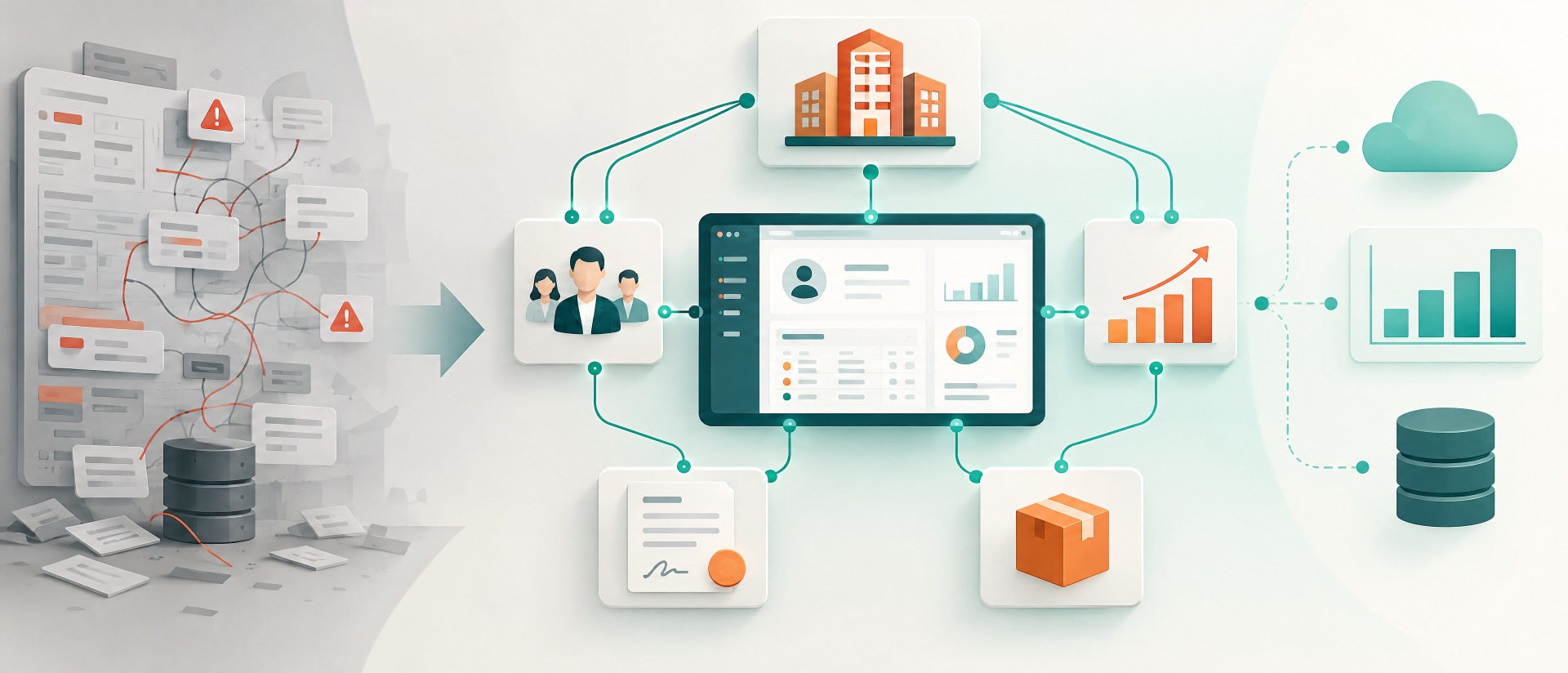
In many companies, emails function as the “official” CRM channel: offers are sent via them, follow-up actions coordinated and appointments agreed upon, but the information ends up in the mailbox and is thus not accessible. The problem: as soon as someone is ill, changes or a deal is handed over, context is missing. In this case, sales and service work with incomplete knowledge, they duplicate inquiries or overlook important signals. This is where the strength of a CRM lies: It should not serve as a storage area, but as a shared basis for communication and decision-making. In this article, we show you how to integrate email and calendar cleanly into the CRM, with clear logging rules, templates, tracking and true transparency.
Email as a CRM Saboteur: A look at why it often hinders Customer Relationship Management (CRM).
Email is fast, convenient and available everywhere – but without rules, it can become a process killer. “Private” information islands are formed: Everyone knows different details, but no one has the overall picture in view. It becomes problematic at the latest when several people are working on the same customer or when support cases flow back into sales. Email inboxes are also rarely clearly structured: Subject lines vary, attachments get lost and relevant content is not versioned. And: Without reliable logging, reports are useless – then teams steer by gut feeling instead of facts.
To prevent this, it is important that we agree on common rules of the game for what should be included in the CRM – and exactly how.
Target vision: Communication in context instead of “inbox archaeology”
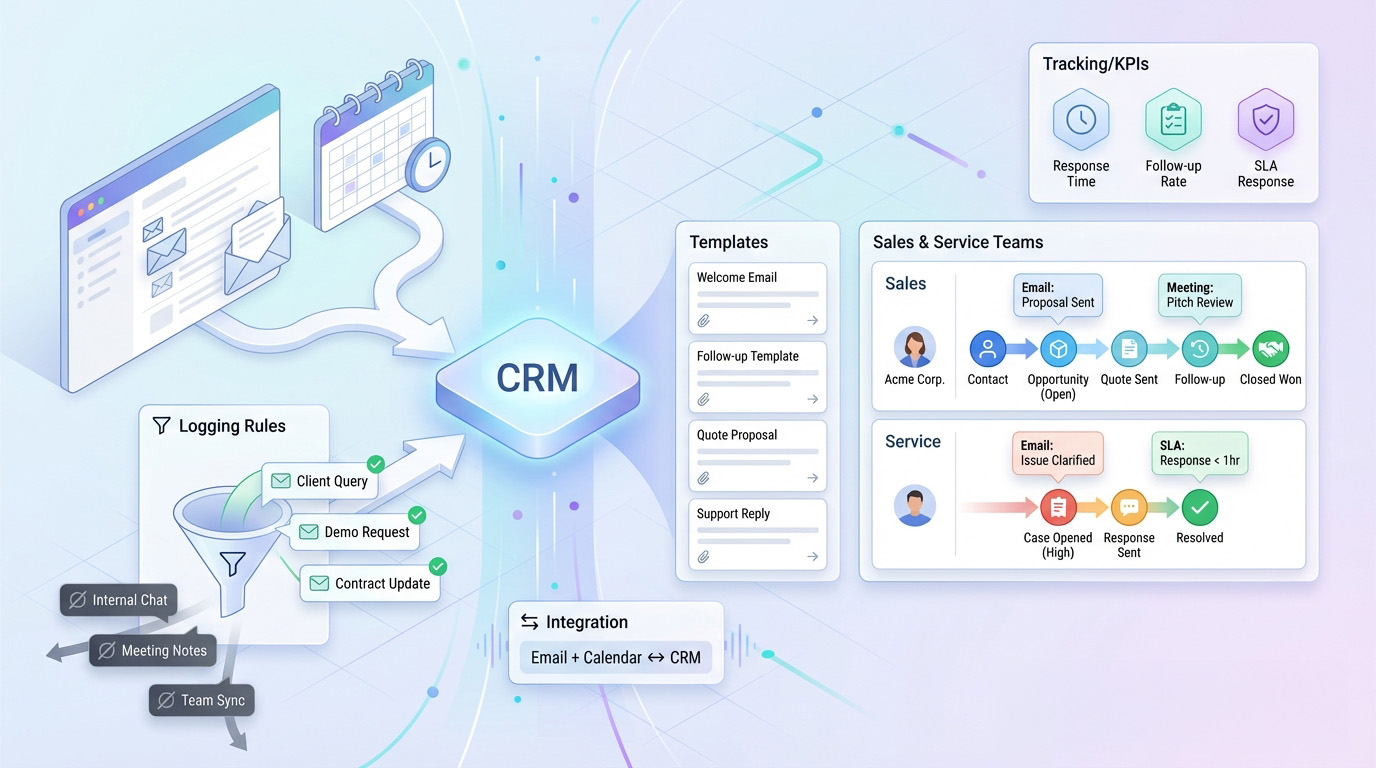
A clean setup doesn’t mean: “log everything, always.” This only leads to data junk and difficulties with acceptance. The target vision looks more like this: communication that is relevant ends up automatically where teams work – at the contact, the account, the opportunity, or the case. Everyone sees what happened without having to forward emails. Templates ensure consistency, while tracking makes bottlenecks visible (e.g. response times). Decisively, the CRM makes work easier – not harder.
1) Logging Rules: What should go into the CRM – and what not?
Before you work with technology, you should determine which communication takes place in which context. This avoids data junk and ensures reports are reliable later. It also prevents the well-known mistake: “We log everything – and no one finds anything.” Logging rules should be short, clear and uniform for all teams. They are the basis for automation, templates and the evaluation of KPIs. They are the most important means to end email chaos in the long term.
Logging rules with proven success (starter set):
- Everything customer-relevant (offer, decision, problem, commitment, risk) should be logged.
- Connect it with the appropriate object: Deal mail → Opportunity, support mail → Case, general relationship → Account/Contact.
- Do not enter internal CC loops into the CRM (otherwise data junk).
- Only log newsletters/marketing automatically when truly necessary (otherwise signal noise).
- Only accept attachments if they are marked as "final" (e.g. offer vX final).
2) Openness in the Team: "Single Source of Truth" for Sales and Service
Once communication is properly visible in the CRM, collaboration and handovers change significantly. Sales has an overview of which service topics are currently open and can manage them realistically. Service knows what was sold without having to guess. Pipeline status and risks can be checked by team leads based on facts rather than them asking. Thanks to history and context, new employees reach productivity faster. And key accounts appear more professional because the answers are consistent – regardless of who is currently writing.
What teams specifically gain through this:
- Reduction of follow-up questions ("Did you see the mail?")
- Cleaner handovers between Sales, Service and Customer Service (CS)
- Improved prioritization (what is actually urgent?)
- Reduced "double" communication with the customer
- Decisions that are traceable (even months later)
3) Templates & Text Blocks: Uniformity without Copy/Paste
Email templates are not a toy for marketing, but a tool for improving quality and efficiency. It costs time and looks unprofessional if everyone formulates offers and follow-up emails differently. By reducing writing effort, standardizing important content (such as next steps, deadlines, and Call-to-Action), and minimizing error rates, templates are extremely useful. They are also a lever for measurability, as they make content comparable. Decisively: templates should be “suitable for everyday use” – short, modular, and customizable.
Proven templates from practice:
- Initial contact after inbound inquiry (incl. appointment link/next step)
- Offer sent (incl. deadline, contact person, next decision)
- Follow-up after X days without an answer
- Confirmation of the appointment + Agenda
- Support update (status, estimated arrival time, next steps)
4) Tracking & KPIs: Response times and follow-ups finally measurable
Numerous teams believe they have “too few leads” or “too little time”. In practice, there is often a lack of transparency: How fast is the reaction? How long are offers valid? How reliable is the follow-up? Once email and activity data are cleanly recorded in the CRM, you can measure exactly that and improve it in a targeted manner. This is not a big data project, but a lean KPI set that enables real decisions. It is perfect for dashboards used daily by Sales and Service.
KPIs that provide immediate added value:
- Response time (Inbound → first qualified contact)
- Cycle Time for Quotes (offer submitted → choice)
- Follow-up quote (How many offers are actively followed up?)
- Response time of SLA in Service
- Number of "open" customer inquiries without a next action
5) Sugar Connect: Integrate Google Workspace & Office 365 cleanly with SugarCRM
Where email chaos typically costs time (example values)
| Cause | Typical share of time loss |
|---|---|
| Searching for context (last mail, last stand, attachments) | 32% |
| Double reconciliation / forwarding | 21% |
| Forgotten follow-ups | 19% |
| Unclear responsibilities / handovers | 16% |
| Inconsistent templates / manual texts | 12% |
Practical example: "Finally everyone sees the context"
10 rules for clean email communication in the CRM
| No. | Rule | Description |
|---|---|---|
| 1 | Define "customer relevant" | Only log mails that concern decisions, risks, commitments or scope. |
| 2 | Clearly assign object | Deal communication to opportunity, support to case, relationship to account/contact. |
| 3 | Avoid internal CC loops | Otherwise the CRM becomes an inbox copy and loses acceptance. |
| 4 | Use subject standards | Uniform subject logic facilitates search and reporting. |
| 5 | Attachments only final | Do not "eternalize" drafts, store final status on the CRM object. |
| 6 | Make templates mandatory | For first contact, offer, follow-up, meeting agenda, support update. |
| 7 | Follow-up automation | With "offer sent" automatic follow-up task after X days. |
| 8 | SLA rules in service | Response/resolution with reminder and escalation instead of chance. |
| 9 | KPI dashboard per team | Sales: response/quote cycle; service: SLA/backlog; management: bottlenecks. |
| 10 | Establish review rhythm | Monthly 30 minutes: check rules, improve templates, sharpen KPIs. |
Checklist: Is your email setup ready for the CRM?
- Do fixed logging rules exist (what in, what out)?
- Can emails be clearly assigned to the correct CRM object (deal/case/account)?
- Are there templates for the most important mail types (offer, follow-up, appointment, support)?
- Are there established responsibilities/queues for sales and service?
- Is there a measurement of response time (inbound and service)?
- Do follow-up automations exist for open offers?
- Are internal CC loops always treated without logging?
- Are final documents/attachments properly stored at the CRM object?
- Do teams use dashboards to steer their work (and not just for documentation)?
- Does a regular review for optimization (monthly or quarterly) take place?