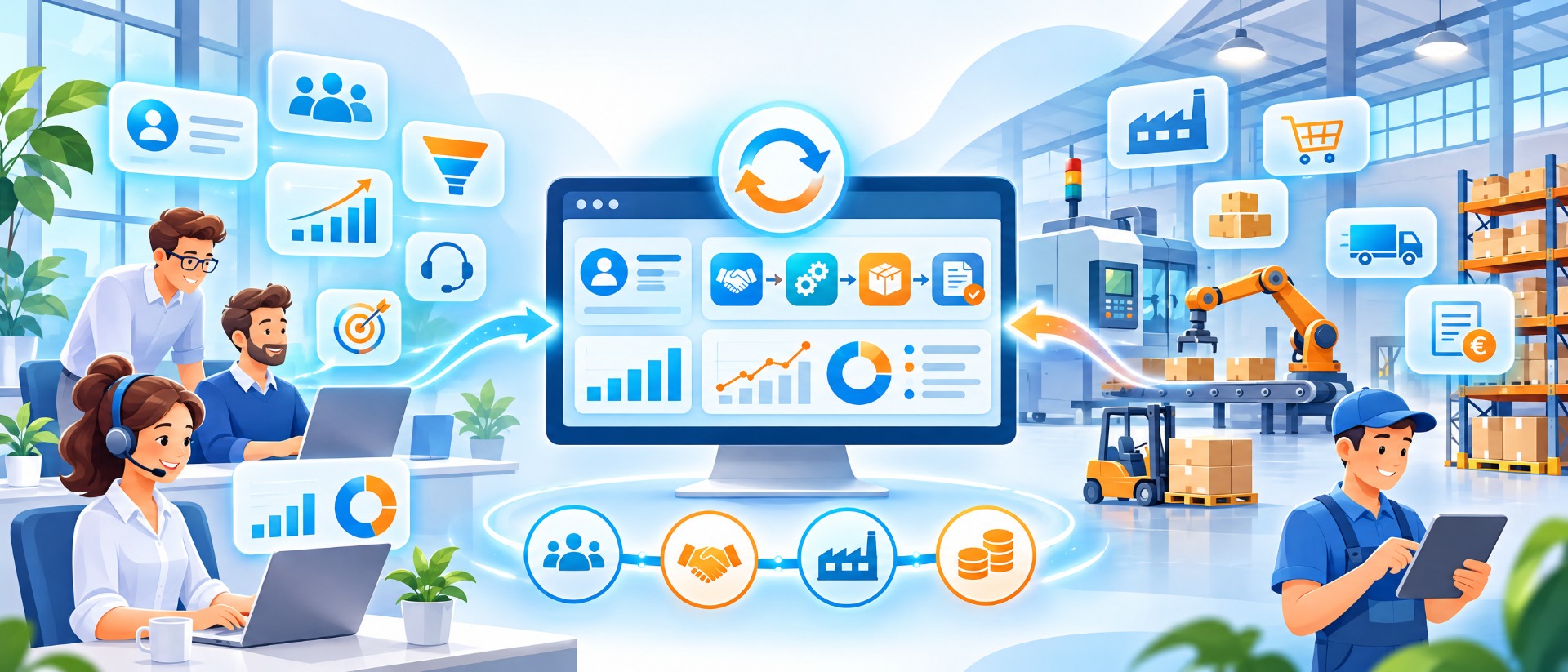
Especially in manufacturing companies, in mechanical and plant engineering or in technical wholesale, ERP systems such as SAP, proALPHA, Microsoft Dynamics or abas have been firmly anchored in the company organization for many years. They form the backbone of operational processes – from materials management and production to order processing and invoicing.
When a CRM system is added, the question of how the two systems should be connected arises almost inevitably. Sales wants access to up-to-date customer, product and revenue data, customer service needs information about delivered products, and management expects a consistent view of the company.
Our CRM projects show time and again that the real challenge rarely lies in the technical connection alone. Rather, it is about data ownership, historically grown system landscapes, different process logics and the question of which system should take on which tasks. A successful CRM-ERP integration therefore does not start with programming an interface, but with a shared understanding of the business processes.
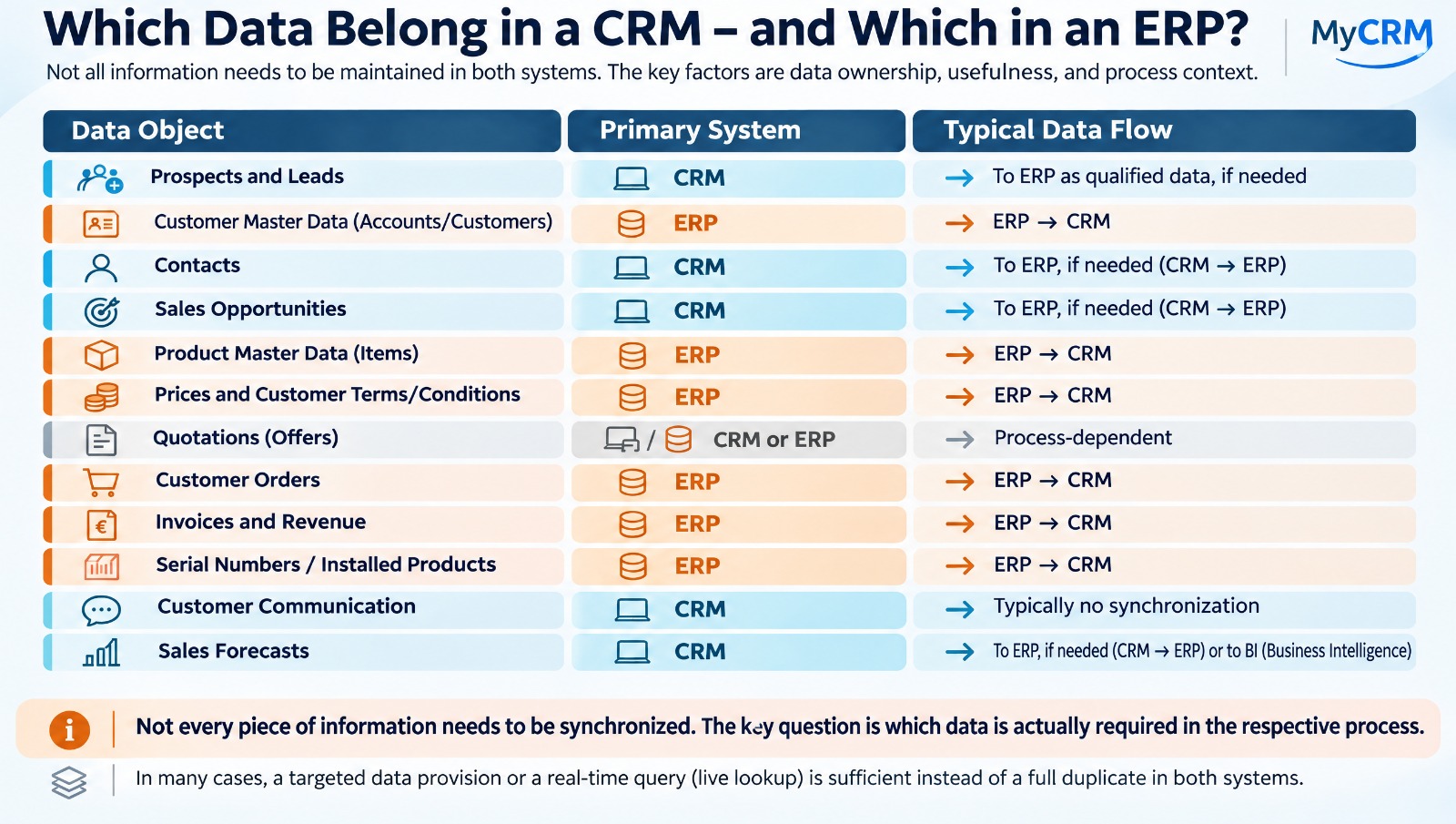
Table of contents
- Why CRM and ERP belong together
- The specifics of manufacturing companies
- The challenges of a CRM-ERP integration
- Which data should be exchanged between CRM and ERP?
- Ten useful use cases for an ERP integration
- Checklist: How well prepared are you for an ERP integration?
- Which technical integration approaches are there?
- Why a phased implementation makes sense
- Practical example: ERP integration at a mid-sized machine builder
- Conclusion: An ERP integration is not a pure IT project
Why CRM and ERP belong together
CRM and ERP look at the same company from different perspectives. While the ERP primarily manages a company’s resources and operational business processes, the CRM focuses on customer relationships, market potential and the development of future revenue.
Put simply, the ERP reflects what is ordered, produced, delivered and invoiced. The CRM also deals with what could be sold in the future, how customer relationships are developing and what measures are needed to retain customers in the long term.
| CRM – customer-oriented processes | ERP – operational business processes |
|---|---|
| Prospects and leads | Debtors and creditors |
| Opportunities and pipeline | Orders and order items |
| Customer communication | Invoices and incoming payments |
| Sales forecasts | Production and capacity planning |
| Customer development and cross-selling | Materials management and inventory |
| Customer service and interactions | Deliveries and goods movements |
| Buying center and contacts | Item master data and bills of materials |
| Marketing and campaigns | Financial accounting and controlling |
The real added value arises where this information can be meaningfully connected. A sales rep visiting a customer should not first have to search several systems to find out which products the customer has bought in recent years, whether orders are still open or how the customer’s revenue has developed.
Conversely, production planning should, where needed, also be able to access sufficiently qualified information about future orders before they are entered bindingly in the ERP. So it is not about synchronizing two systems as completely as possible. It is about providing the right information at the right time in the right system.
The specifics of manufacturing companies
In manufacturing companies, ERP integration is often considerably more demanding than in classic service companies. One reason is that ERP systems such as SAP have grown over decades and are deeply integrated into company-specific processes.
It is not uncommon for the ERP to have been individually extended over many years. Customer-specific pricing logic, complex item structures, different sales companies, individual approval processes and production-related dependencies are firmly embedded there. The CRM therefore does not meet a standardized system, but a historically grown corporate architecture.
In addition, in industrial B2B sales, several months or even years can pass between the first customer contact and the actual order. Technical specifications change, quotes are revised several times and different people are involved in the buying decision.
In this phase, the CRM is often the leading system. As soon as an opportunity turns into a concrete quote with binding pricing, a customer order or a production order, however, the ERP becomes increasingly important. This transition in particular must be clearly defined.
Typical requirements in industry
| Industry | Specific integration requirements |
|---|---|
| Mechanical and plant engineering | Project business, machine history, serial numbers and spare parts |
| Automotive suppliers | Framework contracts, call-off orders, customer-specific items |
| Metalworking | Individual cost calculations, delivery times and capacities |
| Electrical engineering | Extensive item master data and product variants |
| Technical wholesale | Inventory, price lists and customer terms |
| Process industry | Batches, product requirements and quality information |
| Industrial service | Installed base, maintenance contracts and service history |
A good integration concept takes these industry-specific requirements into account without transferring the entire complexity of the ERP into the CRM.
ERP and CRM in numbers
European statistics on the use of business software show how widespread ERP and CRM are, especially in larger companies.
| Company size (EU) | ERP use | CRM use |
|---|---|---|
| Small enterprises (10–49 employees) | 41.1% | 24.7% |
| Large enterprises (250+ employees) | 88.7% | 65.4% |
| Average of all enterprises surveyed | 46.5% | 28.5% |
Source: Eurostat – E-business integration, 2025 survey, data as of May 2026; rounded values.
In manufacturing, ERP use is 57.6%, well above the cross-industry average. However, the figures say nothing about how many companies have actually integrated the two systems with each other. For companies that use both applications, this raises the question of how they can work together in an economically and organizationally sensible way.
The challenges of a CRM-ERP integration
Historically grown ERP systems
Anyone who has worked with an ERP system for many years inevitably develops a large number of individual customizations. These are often business-critical, sometimes insufficiently documented and not readily accessible via standard interfaces.
With established SAP installations in particular, it makes a considerable difference whether a company is still working with SAP ECC, has already migrated to S/4HANA or is pursuing a corresponding cloud strategy. With other ERP vendors, too, integration options differ considerably depending on product generation, operating model and licensing.
It should therefore already be clarified during the CRM evaluation which interfaces are actually available, what additional costs arise and to what extent the existing ERP service provider needs to be involved.
Different data models and business logic
A customer is not necessarily the same thing in both systems. While the CRM looks at a company with its contacts, locations, holdings, opportunities and activities, the ERP distinguishes, for example, between sold-to party, ship-to party, bill-to party and payer.
An international industrial customer can be managed in the CRM as a group of companies with several subsidiaries, while numerous customer account numbers, company codes and sales organizations exist in the ERP. A simple mapping based on the customer number is not always sufficient in such cases. Anyone who underestimates these differences in the design phase risks incorrect assignments, inconsistent reports and considerable adjustment effort later on.
The question of the leading system
One of the most important decisions concerns data ownership. Where is information created, maintained, changed and, if necessary, deleted? We often see that a bidirectional synchronization of as much data as possible is initially requested. At first glance, this seems sensible – after all, both systems should always be up to date.
In practice, however, this approach increases complexity considerably. If information is changed in both systems at the same time, conflict rules must be defined. Incorrect changes can also spread automatically to the other system.
The decision about the leading system should therefore not be made across the board, but at the level of the respective data objects and, where necessary, individual data fields.
Different interests of the business departments
An ERP integration is also an organizational project. While IT wants to operate as few interfaces as possible, sales expects easy access to all relevant customer information. Financial accounting, in turn, wants to ensure that commercially relevant data is only changed according to defined rules. In addition, there are external ERP consultants, CRM implementation partners and possibly other software vendors. Without a shared objective, technical decisions quickly become the subject of organizational disputes. Management should therefore appoint a responsible process owner at an early stage who does not exclusively represent the interests of a single system.
Operations, maintenance and long-term costs
An integration is not finished at go-live. ERP and CRM systems are updated, interfaces change, new business areas are added and existing processes are adjusted. An integration that works today must also work reliably after the next ERP release.
In addition to the actual implementation costs, companies should therefore take into account the long-term effort for monitoring, troubleshooting, documentation, interface licenses and further development. Technical user accounts, permissions and the secure connection between cloud and on-premises systems also belong in the operating concept. The most economical integration is not necessarily the one with the lowest implementation costs, but the one with the lowest total cost over its life cycle.
Which data should be exchanged between CRM and ERP?
The temptation is great to make as much ERP data as possible available in the CRM as well. However, a sales rep needs neither complete accounting entries nor all production-related information or bills of materials. What matters is which information enables employees to make better decisions, answer customer inquiries faster or identify additional revenue potential. The following model can serve as a starting point for defining data ownership.
| Data object | Leading system | Typical data flow |
|---|---|---|
| Prospects and leads | CRM | Qualified data to the ERP if needed |
| Customer master data (debtors) | ERP | ERP → CRM |
| Contacts | CRM | CRM → ERP if needed |
| Opportunities | CRM | CRM → ERP if needed |
| Item master data | ERP | ERP → CRM |
| Prices and customer terms | ERP | ERP → CRM |
| Quotes | CRM or ERP | Depends on the process |
| Customer orders | ERP | ERP → CRM |
| Invoices and revenue | ERP | ERP → CRM |
| Serial numbers and installed products | ERP | ERP → CRM |
| Customer communication | CRM | Usually no synchronization |
| Sales forecasts | CRM | CRM → ERP or BI if needed |
Not every piece of information necessarily has to be physically stored in both systems. In many cases, it is sufficient to retrieve data when needed or display it in aggregated form in the CRM. Sales, for example, often does not need complete invoice line items, but an overview of a customer’s revenue development broken down by product group and fiscal year.
Ten useful use cases for an ERP integration
An integration should always be based on concrete use cases. What information do employees lack today? Where do unnecessary queries arise between departments? Which processes are delayed by manual data transfers? And what information could help to tap additional business potential? From these questions, ten typical use cases can be derived, especially for manufacturing companies.
| No. | Use case | Description | Business benefit |
|---|---|---|---|
| 1 | Customer master data | Automatic provision of current debtor and address data in the CRM. | Fewer duplicates and less maintenance effort |
| 2 | Revenue history | Display of revenue by year, product group and location. | More targeted customer development |
| 3 | Order overview | Display of current and completed customer orders. | More transparency in sales |
| 4 | Delivery status | Provision of current delivery dates and shipping information. | Faster customer communication |
| 5 | Product catalog | Access to sales-relevant items and product information. | More efficient quote creation |
| 6 | Pricing | Retrieval of customer-specific prices, discounts and terms from the ERP. | Consistent quotes |
| 7 | Quote and order handover | Transfer of qualified quotes or order requests to the ERP. | Less manual data entry |
| 8 | Installed base | Provision of delivered machines, systems and serial numbers. | Additional service and spare parts revenue |
| 9 | Sales and production planning | Provision of qualified sales forecasts from the CRM. | Better planning basis |
| 10 | Commercial customer information | Display of approved credit limit, payment or delivery block information. | Reduced commercial risks |
Not every use case has to be part of the first integration phase. Rather, it is advisable to prioritize requirements according to business benefit, technical complexity and organizational dependencies.
Providing revenue histories, order data and existing customer master data alone can create considerable added value without the need to automate complex business processes.
Checklist: How well prepared are you for an ERP integration?
Before obtaining quotes for the technical implementation, companies should be able to answer a few fundamental questions. These concern not only IT, but also sales, customer service, financial accounting and management. The more clearly these questions are answered, the more realistically project scope and costs can be estimated. Open points are no reason to question an integration in principle. Rather, they show where conceptual work is needed first.
Which technical integration approaches are there?
There are different technical approaches for connecting CRM and ERP. Which of them makes sense depends on the existing IT architecture, the available interfaces, the data volume and the complexity of the business processes. Not every company needs an extensive integration platform. Nor is a custom-developed direct interface always the cheapest solution.
Approach 1: Direct integration via APIs
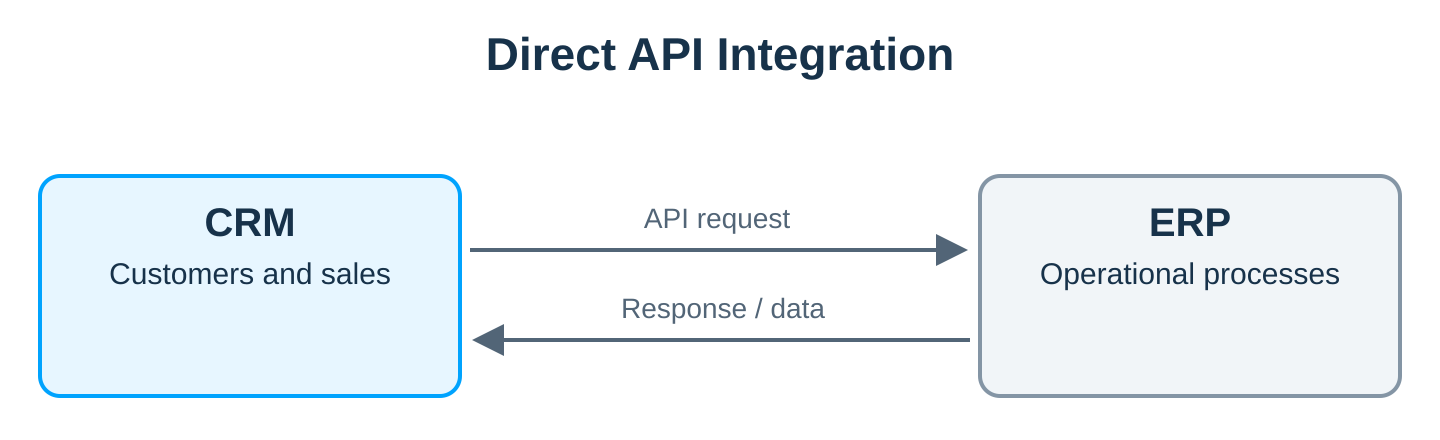
With direct integration, CRM and ERP communicate with each other via the interfaces provided. Depending on the ERP system, REST APIs, OData, SOAP web services or SAP-specific interfaces such as BAPIs and IDocs can be used, for example.
This approach is particularly suitable for clearly defined requirements and manageable system landscapes. If both applications have suitable interfaces, a powerful integration can be implemented with comparatively few additional infrastructure components. As the number of interfaces and business processes grows, however, the individual maintenance effort can also increase.
Approach 2: Middleware and integration platforms
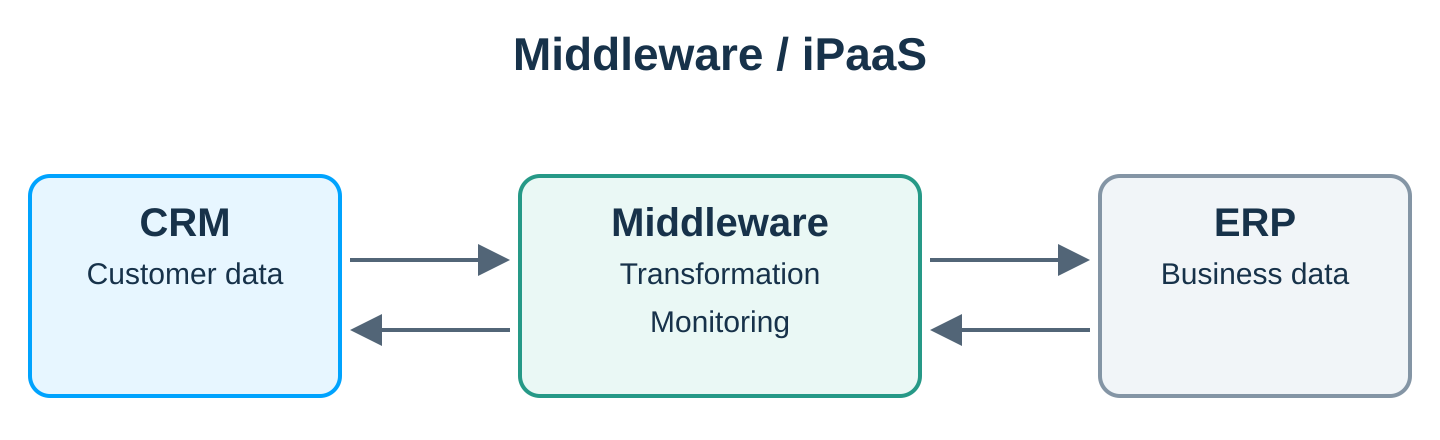
In larger companies in particular, middleware or an integration platform as a service (iPaaS) is often a good choice. Examples include SAP Integration Suite, MuleSoft, Boomi and Microsoft Azure Integration Services.
The platform handles communication between the applications, transforms data formats, controls integration processes and provides functions for monitoring and error handling. The advantage is that CRM and ERP do not need to know all the specifics of the other system. Some changes can be absorbed within the integration layer.
This is offset by additional license, infrastructure and operating costs. If a company-wide integration platform already exists, however, its use should generally be considered before introducing another solution.
Approach 3: Scheduled data exchange (batch integration)
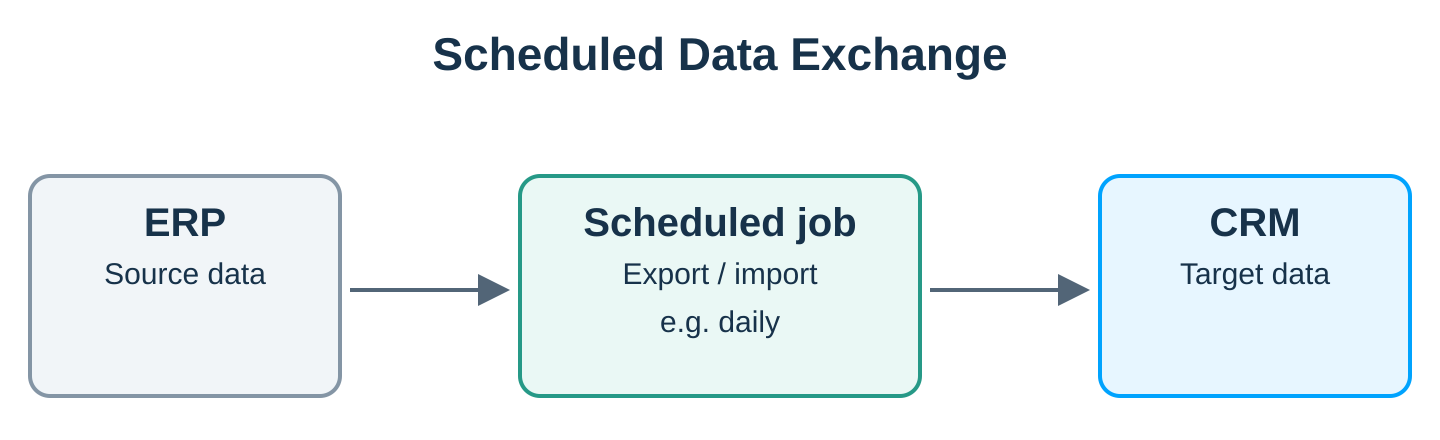
Not all data has to be synchronized in real time. Revenue histories, larger item inventories or certain customer information can often be transferred at regular intervals. This reduces the direct dependencies between the systems and can provide a pragmatic starting point, especially with older ERP installations.
The exchange can take place via APIs, export files, secure file transfers or existing integration mechanisms. Reliable monitoring and traceable import and error logs are important.
Approach 4: Live queries instead of data synchronization
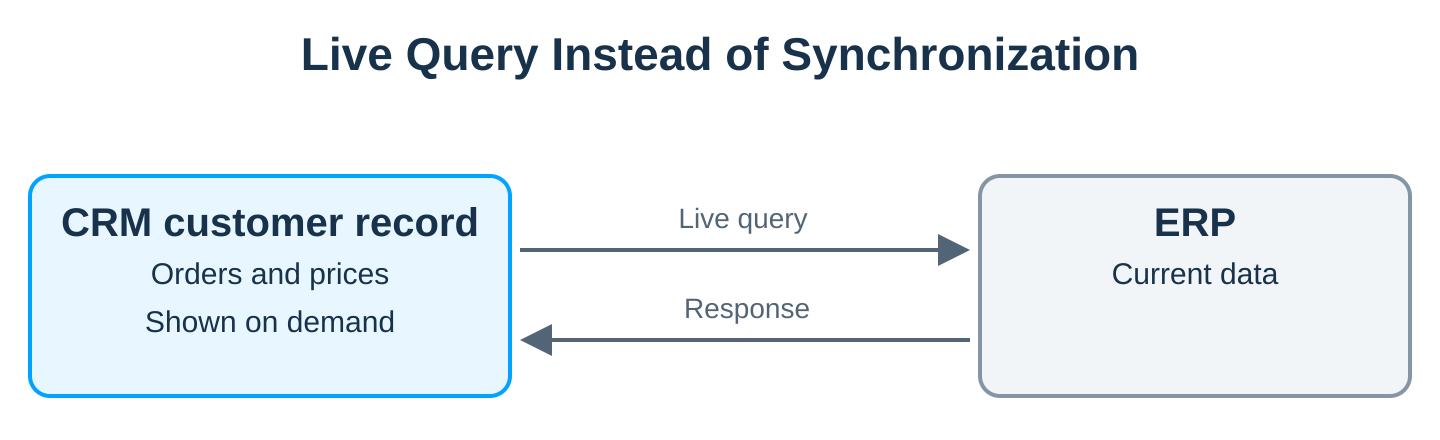
An often underestimated approach is not to store certain data permanently in the CRM at all, but to retrieve it directly from the ERP when needed. When a sales rep opens a customer record, for example, current order data, delivery dates or customer-specific prices can be loaded dynamically. This avoids redundant data. However, it creates a direct dependency on the availability and response time of the ERP system. For CRM-internal reports, automated processes or AI-supported analyses, additional ways of providing the data may need to be created.
Approach 5: Event-driven integration
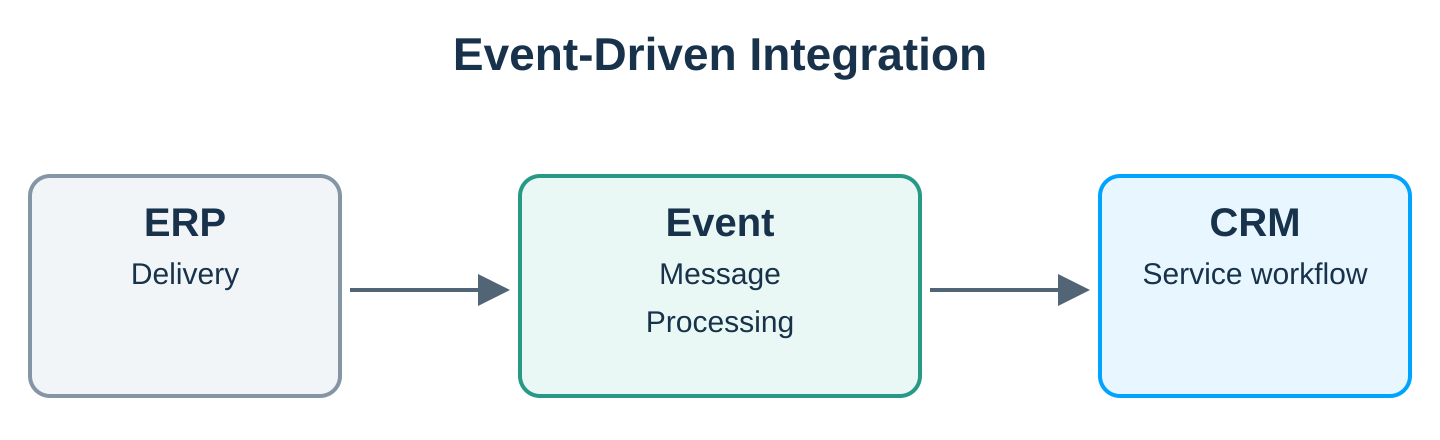
With event-driven integration, information is transferred as soon as a defined business event occurs. If, for example, an order is confirmed in the ERP, a machine is delivered or an invoice is created, this event can automatically trigger a follow-up process in the CRM.
After a system has been delivered, for instance, an onboarding process can be started, a service appointment prepared or a follow-up created for the responsible account manager.
This approach is particularly interesting when companies want not only to exchange data, but to automate cross-system business processes. However, it requires reliable event processing that also correctly handles delayed or duplicate messages.
The integration approaches compared
| Integration approach | Particularly suitable for | Complexity* | Timeliness |
|---|---|---|---|
| Direct API integration | Clearly defined requirements | Low to medium | Real time or scheduled |
| Middleware / iPaaS | Complex system landscapes | Medium to high | Flexible |
| Batch integration | Larger data sets and historical data | Low to medium | Scheduled |
| Live query | Prices, availability and delivery dates | Medium | On request |
| Event-driven integration | Automated business processes | Medium to high | Near-event |
*Complexity is a qualitative assessment and depends on the respective system landscape.
In practice, a hybrid approach is often the best solution. While customer master data and revenue histories are synchronized regularly, current prices can be queried directly and relevant business events processed automatically. The approaches are not mutually exclusive: middleware, for example, can handle API queries as well as batch and event processing. Not every data flow needs the same technology.
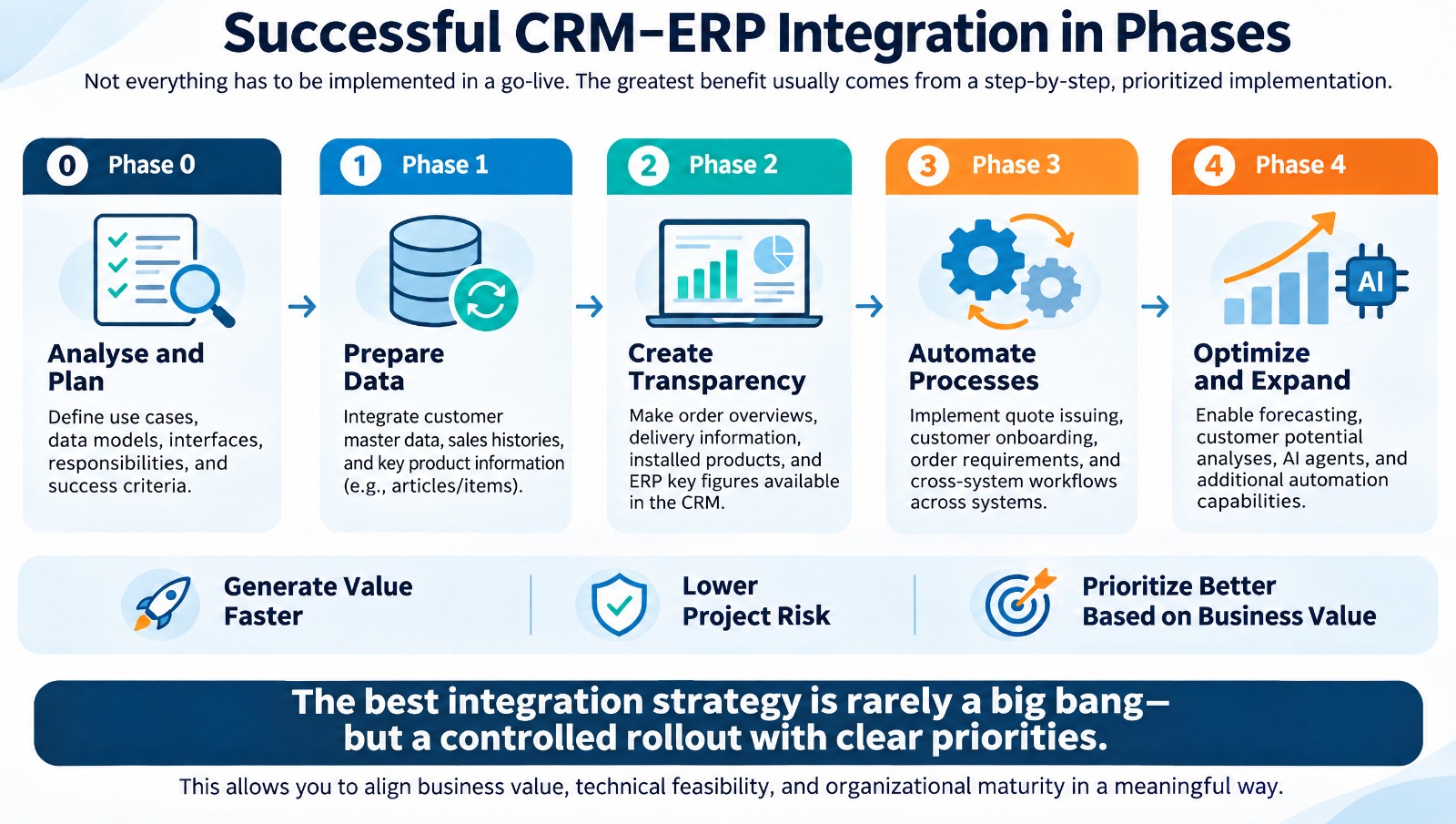
Why a phased implementation makes sense
A common mistake in CRM-ERP integration projects is wanting to implement all requirements by the CRM go-live. This creates dependencies that can delay the entire CRM project. Especially when several external service providers are involved or major adjustments are needed on the ERP side, schedules are difficult to calculate reliably. We therefore recommend treating the CRM rollout and the ERP integration as coordinated projects that are not necessarily fully dependent on each other.
Example of an agile integration roadmap
Phase 0 – Analysis and design: Define use cases, data models, interfaces, responsibilities and success criteria.
Phase 1 – Provide data: Integrate customer master data, revenue histories and basic item information.
Phase 2 – Create transparency: Provide order overviews, delivery information, installed products and ERP key figures in the CRM.
Phase 3 – Automate processes: Implement quote handover, customer creation, order requests and cross-system workflows.
Phase 4 – Optimize and expand: Tap into forecasting, customer potential analyses, AI agents and further automation opportunities.
This approach makes it possible to achieve productive benefits early on. At the same time, users’ experience can feed into further development. After the first few weeks, for example, it may turn out that a real-time synchronization originally classified as indispensable is not needed at all. Instead, other information, such as historical spare parts revenue or a customer’s installed base, becomes considerably more important. An agile approach creates the necessary leeway to respond to such insights without having to redevelop the entire integration concept.
Practical example: ERP integration at a mid-sized machine builder
Let us look at an example scenario: a mid-sized machine builder with around 250 employees and 25 sales and service staff has been working with an established SAP system for many years.
Sales uses the CRM to manage customer relationships, opportunities and activities. Information about actual revenue development, current orders and machines already delivered, however, has to be researched separately in the ERP or requested from colleagues. Initially, an extensive bidirectional integration is on the table, including quote creation, pricing and automatic order handover. Instead of implementing all requirements at once, the company opts for a step-by-step integration.
In the first phase, customer master data and revenue histories are provided. This is followed by current order information and the customers’ installed base. Only after productive use and several feedback rounds is the automation of quote and order processes implemented.
What economic effects are possible?
The following model calculation illustrates the benefits that even the first integration phases can achieve.
| Metric | Before integration | After integration | Improvement |
|---|---|---|---|
| Preparing a customer meeting | 25 minutes | 10 minutes | −60% |
| Researching an order detail | 10 minutes | 2 minutes | −80% |
| Manually transferring an order | 15 minutes | 5 minutes | −67% |
| Providing a customer revenue overview | 20 minutes | 2 minutes | −90% |
Illustrative practical example with assumed values, not documented results of a specific customer project.
Assuming an average time saving of just 20 minutes per working day for 25 employees, this results in a potential of around 1,833 working hours per year over 220 working days. With our interactive calculator, you can estimate this potential based on your own company data.
However, the real benefit goes beyond the time saved. Sales reps can advise customers in a more targeted way, identify additional business potential and make better-informed decisions.
In mechanical and plant engineering in particular, the availability of information about machines already delivered can form the basis for a systematic spare parts, service and modernization business. This makes ERP integration not just an efficiency project, but also an instrument for customer development.
Conclusion: An ERP integration is not a pure IT project
Integrating CRM and ERP is one of the more demanding tasks of a CRM rollout, especially in manufacturing companies. At the same time, it offers considerable potential to use existing resources more efficiently, improve customer care and generate additional revenue.
What matters is that companies do not try to replicate their existing ERP processes completely in the CRM. Both systems have their own raison d’être and fulfill different tasks. A good integration respects these differences, defines clear responsibilities and connects the systems where demonstrable business value is created.
Whether SAP or another established ERP system: the quality of the integration depends less on the number of data fields transferred than on the quality of the underlying business processes. That is precisely why a phased approach is recommended, in which technical possibilities, economic benefits and the actual requirements of users are continuously aligned. The best ERP integration is not the one that can do the most technically, but the one that moves the company forward the most in everyday work.
Since 2006, we at MyCRM have been supporting companies in introducing, integrating and further developing CRM systems. Together with our customers and their ERP partners, we develop integration concepts that are based on actual business processes and can be developed further over the long term. Are you planning a CRM rollout or would you like to optimize your existing ERP integration? We will be happy to help you set the right priorities.